Dauntless Aviation
Important Message
After over 3 years of keeping our prices on most products fixed, we are currently adjusting these slightly. This means that you might encounter a price on our website which varies a bit from that on the final checkout page. All of the systems should sync and be back to normal in a few hours. Please double check the price you will see at checkout as this will be the final price you will pay. Thank you for your understanding.

Activation and Account Help
Dauntless Software

Dauntless support

Complete the activation form

  1. Scroll down inside the central activation window to find the form.
  2. Enter your Activation Code* exactly as supplied. Check similar-looking characters, including I and 1, and O and 0.
  3. Complete the requested information accurately, including your full name, address, phone number, and email address.
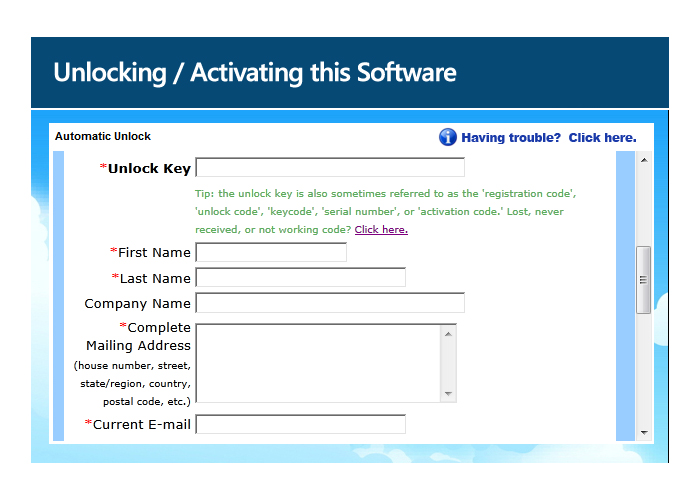
Activation form showing the code and registration fields

Select “submit” at the bottom of the form.
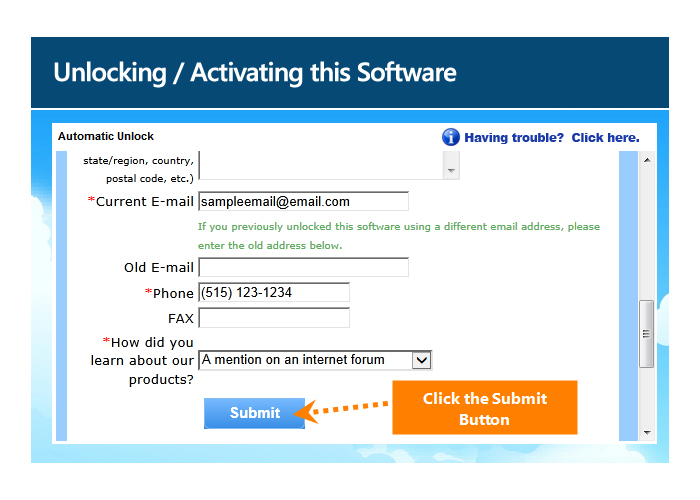
Submit button at the bottom of the activation form

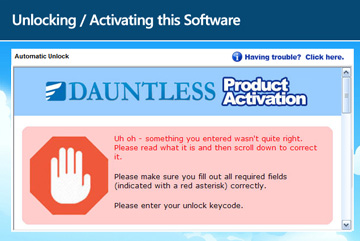
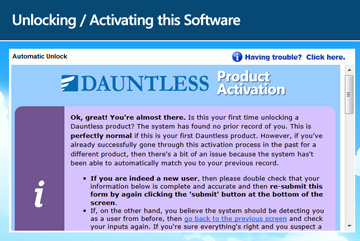
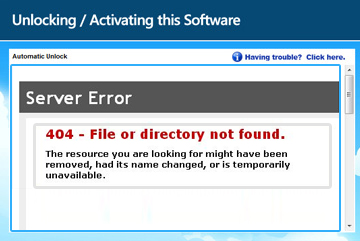
After a few seconds, you should receive a result. Select the matching result below.

Top left: activation success message

Top right: red error message

Bottom left: purple confirmation message

Bottom right: page error

* An Activation Code may also be called an Unlock Key, Unlock Keycode, Unlock Code, Keycode, Registration Code, License Key, or Serial Number. The label in your purchase email or software may vary.