We're Dauntless. Our GroundSchool series provides comprehensive preparation for FAA knowledge tests for pilots, mechanics, drone pilots, instructors, and others.
If you are familiar with the traditional books and test-prep products from G****, A**, J******, K***, and others, you will find that GroundSchool takes a somewhat different approach. Our goal is to provide a complete, polished, and efficient study system rather than simply a collection of questions and answers.
What particularly distinguishes GroundSchool is the depth of our explanations and supplemental learning material.
We want students not merely to recognize the right answer, but to understand why it is right. That matters increasingly as FAA questions change in wording and presentation while continuing to test the same underlying knowledge.
Over the years, hundreds of thousands of people have used our products while preparing for FAA tests. A student who studies conscientiously with GroundSchool should be well positioned not only to pass the test, but also to retain and understand the material afterward.
To learn more about GroundSchool, we suggest one of the following:
You do not need to worry about buying "old stock."
GroundSchool learning content is regularly reviewed, maintained, and updated by our professional editorial team. Students can use the built-in update feature whenever they like to obtain our latest material.
This is particularly useful for schools, instructors, and organizations purchasing licenses in bulk. A keycode does not become obsolete simply because another calendar year begins.
When you provide a keycode to a student, you are giving that person a personal license to the GroundSchool product for the platform purchased. Once activated, that user can continue receiving content updates for that product without an additional content-update fee.
That means you do not need to maintain separate inventories of "2026" and "2027" licenses, replace unused codes when a year changes, or worry that a keycode sitting in your fulfillment portal is becoming stale.
The keycode is the license. The learning content is kept current through our update system.
A student may install the software, activate the license, and then be only moments away from receiving the latest material prepared by our editorial team.
We also like the fact that former students can continue to use GroundSchool later in their careers as a review or refresher tool, while still having access to updated learning content for their licensed product.
Our Windows PC GroundSchool products contain the complete core study system needed to prepare for the applicable FAA knowledge tests. Audio Mode is an optional add-on to that base software.
Audio Mode lets students listen to many of the questions and answers being read by a human narrator. Some students find this extremely useful because it gives them another way to review the material, including during times when sitting in front of a screen is inconvenient.
If you select the + Audio option when purchasing a GroundSchool title, the keycode generated for that user will activate both the standard GroundSchool software and the optional Audio Mode.
If you do not purchase Audio Mode, the normal GroundSchool product remains fully usable. The audio feature will simply remain locked, and the individual user may have the option to purchase it separately later if desired.
A few things to know about Audio Mode:
It is an optional supplement to the main GroundSchool study system.
It contains narrated questions and answers, with occasional additional commentary.
Questions that depend heavily on charts, figures, calculations, or other visual material may not be included.
The detailed written explanations available in GroundSchool are generally not reproduced in Audio Mode.
The easiest way to explain this is with an example.
Suppose you want to purchase both Private Pilot and Instrument Rating preparation.
If you purchase a Private + Instrument bundle, you receive one keycode that activates both test groups.
If you purchase Private and Instrument separately, you receive one keycode for each test group.
So, for example:
50 Private + Instrument bundles = 50 keycodes
50 Private licenses plus 50 Instrument licenses = 100 keycodes
Bundles are generally best when you already know that the same student will need all of the included test groups.
They are usually simpler to administer and may also offer better pricing.
For example, we particularly recommend Mechanic / AMT bundles to schools whose students are expected to take all three of the General, Airframe, and Powerplant tests. One code can be considerably easier to distribute and manage than three separate codes.
The tradeoff is flexibility. Once a bundled keycode has been activated by a student, the entire bundle belongs to that user. If the student later decides not to continue to the second or third test, the unused portion of the bundle cannot be separated out and reassigned to somebody else.
Buying individual test banks gives you greater flexibility. You can issue each code only when a student actually needs that particular test. The disadvantages are that individual licenses may cost somewhat more overall and you will have more keycodes to manage.
Our fulfillment portal, provided to bulk purchasers, makes managing individual codes much easier, but administering several separate codes will naturally involve a little more work than issuing one bundle code.
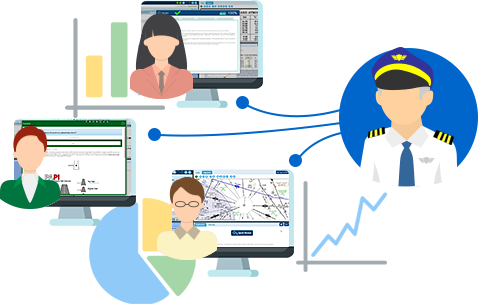
Our GroundSchool FAA test preps feature great tools to help students and instructors connect. Student monitoring and tracking is built in and free. Key to this is our www.TestPrepStatus.com website. In addition to letting you see the results of study sessions, it provides a number of
statistics and moving averages that provide a meaningful picture of student activity, strong/weak areas, actual-test readiness, and more.
If you're a student, you can use this to see your own progress as you study.
If you're an instructor or school, you can monitor student progress, organize students into folders/classes, and more.
If you happen to be both a student and an instructor simultaneously, you can make use of both sets of features at the same time.
If you're a school, any or all of your instructors can log in to monitor student progress.
Progress monitoring at our TestPrepStatus.com site works via a permission mechanism - either the
student can request that an instructor monitor their progress or an instructor can request to monitor a student's progress an the requested party must agree. Nothing is done without your permission.
This system is completely free for instructors, students, and schools. It works on all GroundSchool platforms (a few iOS apps have, at the time of this writing, slightly limited support for this) and work regardless of whether our apps were purchased individually, via bulk organizational purchase, or via site/lab license.
For users of our GroundSchool FAA knowledge test preps, the answer is 100% YES. Student progress tracking is built-in and free. It's built in and free regardless of whether your student is using our prep in a lab under a site/lab license at your location, on our app on a mobile device, or on their PC/Mac at home. As long as they are logged into either a lab account or a free dauntless cloud account (any user can create this themselves - it's free and in some cases is done totally transparently), then you can track them. You can track individual students or whole classes.
You can track student progress by subject area. This allows you to zero in on their strong and weak areas.
You can see how regularly they are studying
You can see their scores on simulated tests
The system provides you with a series of moving averages to help you visualize their progress better; these are provided both raw and 'smoothed' so that 'bad luck' on questions plays less of a factor in getting a picture of your student's progress.
Yes, you can organize students into folders / classes, mark past students 'inactive', and so forth.
The best way to see it work is to give it a try yourself TestPrepStatus works fine in demo mode:
Visit www.TestPrepStatus.com and set up an instructor account. Totally free.
Then, you need to link a student account with an instructor account. There are two ways to do this: If you've just created an account on testprepstatus and have no other connection to the prep, the easiest way to do this is to use the 'invite' feature there to invite a 'demo' student that you might have created so that you can see how it works (or, if you have a real student with you, you can try that too!). This is the 'instructor initiated' way of doing it. There's also a 'student initiated' way within the individual apps (usually on the 'test results' screen) where the student can request an instructor to monitor their progress. This way, the system is permission based, as is naturally required.
As the student studies, their scores will be sent up to the TestPrepStatus.com system at the end of each session. As an instructor, you can log in to TestPrepStatus.com from wherever you are and see how they are doing.
Please note that TestPrepStatus.com is currently only connected to our FAA Knowledge Test preps. If you are reading this and are interested in this service for our other test preps, please let us know.